10-in-10, Week 8: Skip-Bo Realtime Browser Game
Growing up, Uno was pretty much the only card game of this sort I knew. My siblings and I played a lot of board games and other card games like ERS, BS, Go Fish, etc., but somehow Skip-Bo, despite being around since the 80s and made by Mattel (same company that makes Uno), never made its way into the house. I didn't actually play it until December 2023, when my then-fiancée and I were back in Texas visiting my family for the holidays. My sister introduced us to the game, my wife took to it immediately, and by the end of the trip my sister had said "merry Christmas" and handed her the deck. We've been carrying it around ever since. It comes out when we travel, when guests are over, when we're bored. Of course, we go through phases, but it keeps coming back.
(If you've never played, here's a brief summary. It's similar to Uno in that you race to empty a stock pile by playing cards 1 through 12 in sequence, but color doesn't matter and you have four shared build piles. There are wild cards that can be any number. Turns end on a discard. Whoever empties their stock first wins.)
For the eighth week of my 10-in-10, I wanted to build something that would level me up as an engineer, but also be very fun once deployed. So I built it the long way on purpose, and the result is a browser-based Skip-bo that plays in real-time with anyone from anywhere in the world, up to eight players on a virtual felt.
(Update: the AWS free tier has since expired and the box is gone, so the hosted game is offline for now. Everything below describes what shipped and still runs from the repo.)
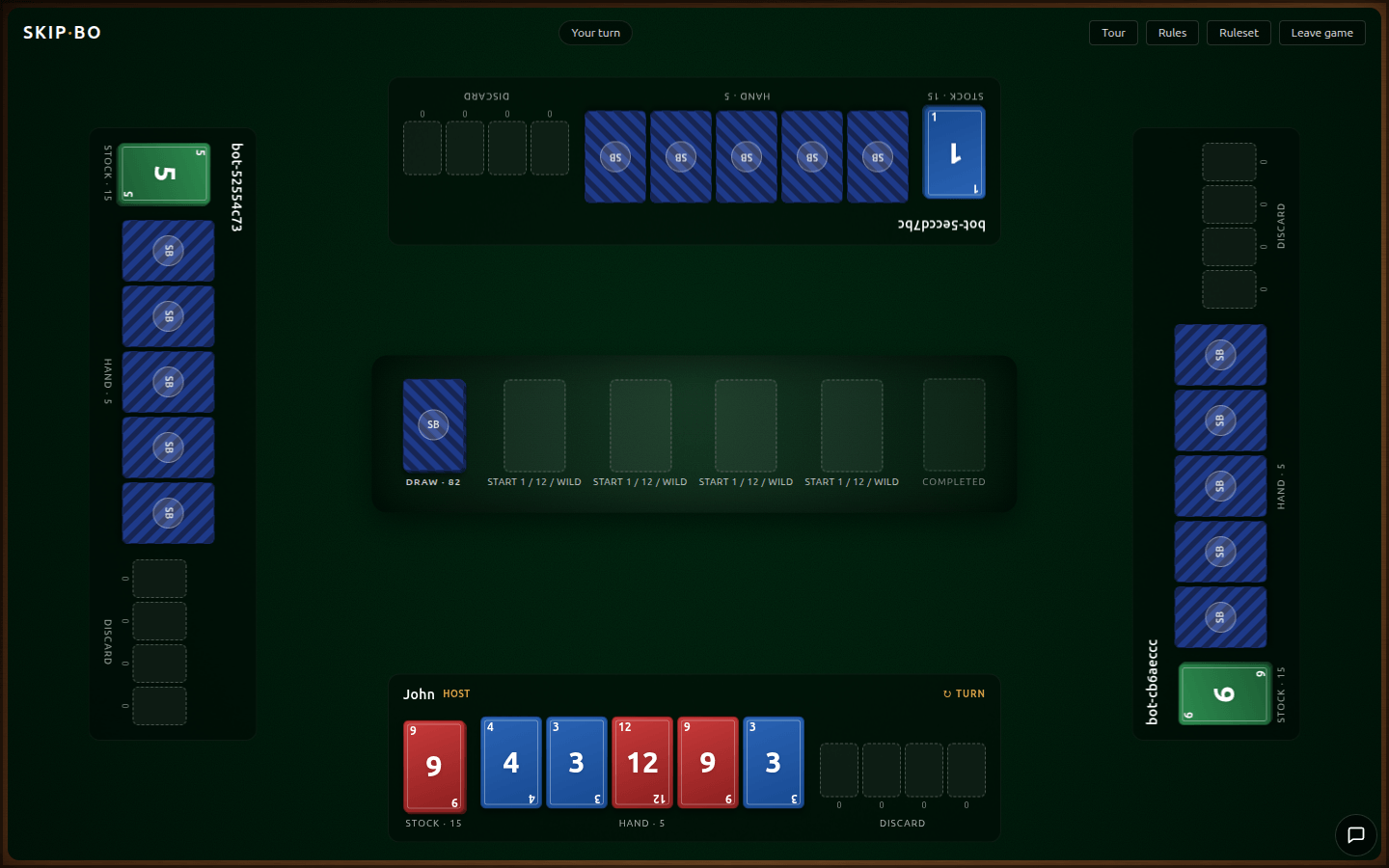
What It Is
Skip-Bo is a real-time browser version of the Mattel card game. You open the lobby, either create a room or join one by code, pick your seat, and play. Up to eight players, two-to-four-player partnerships supported, recommended and official rulesets available, hot-seat mode at /local if you don't feel like making a room and joining together on your phones for some reason.
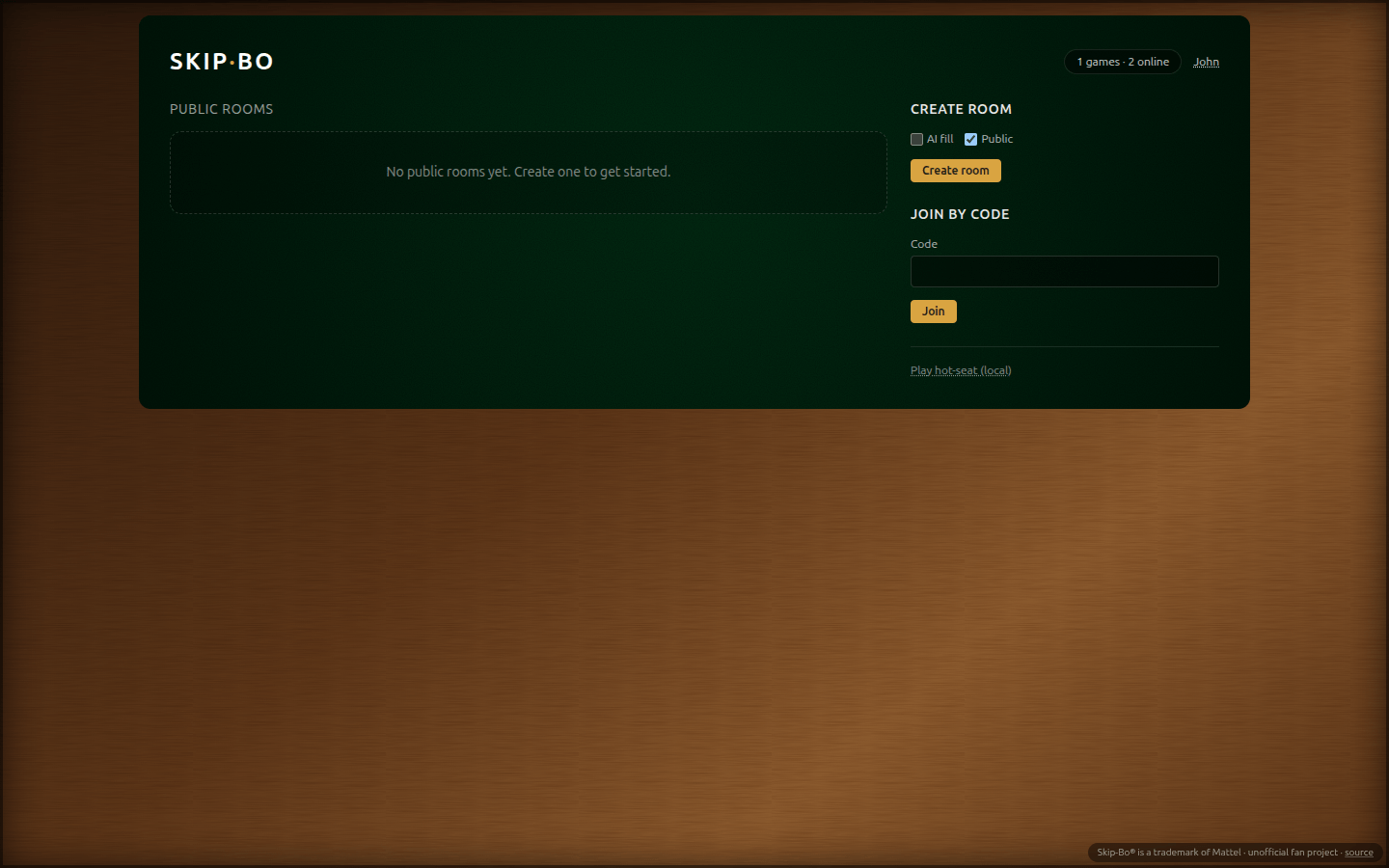
The landing page is the lobby. The server pushes public rooms as they're created, joined, and closed, so the list stays live without a refresh.
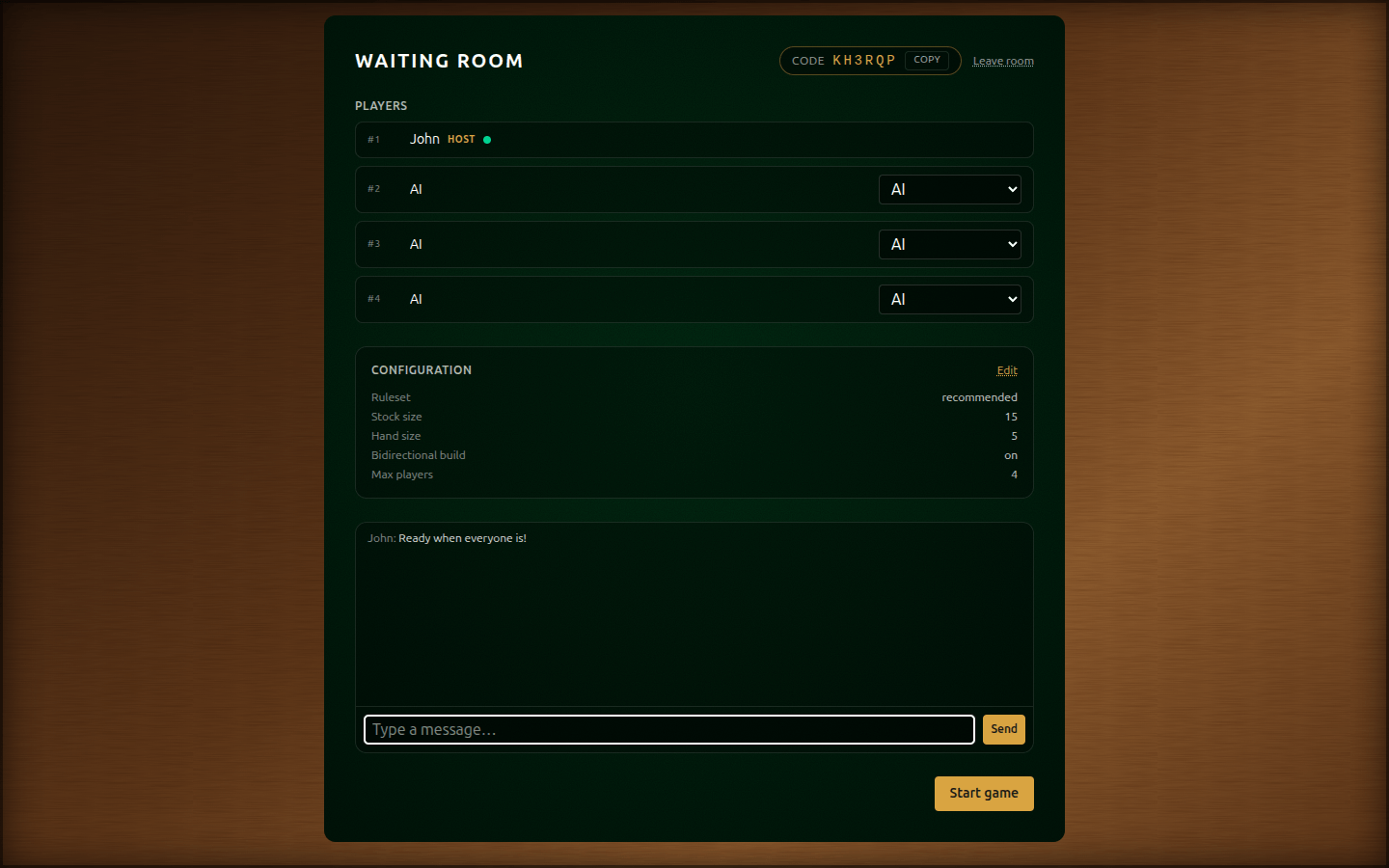
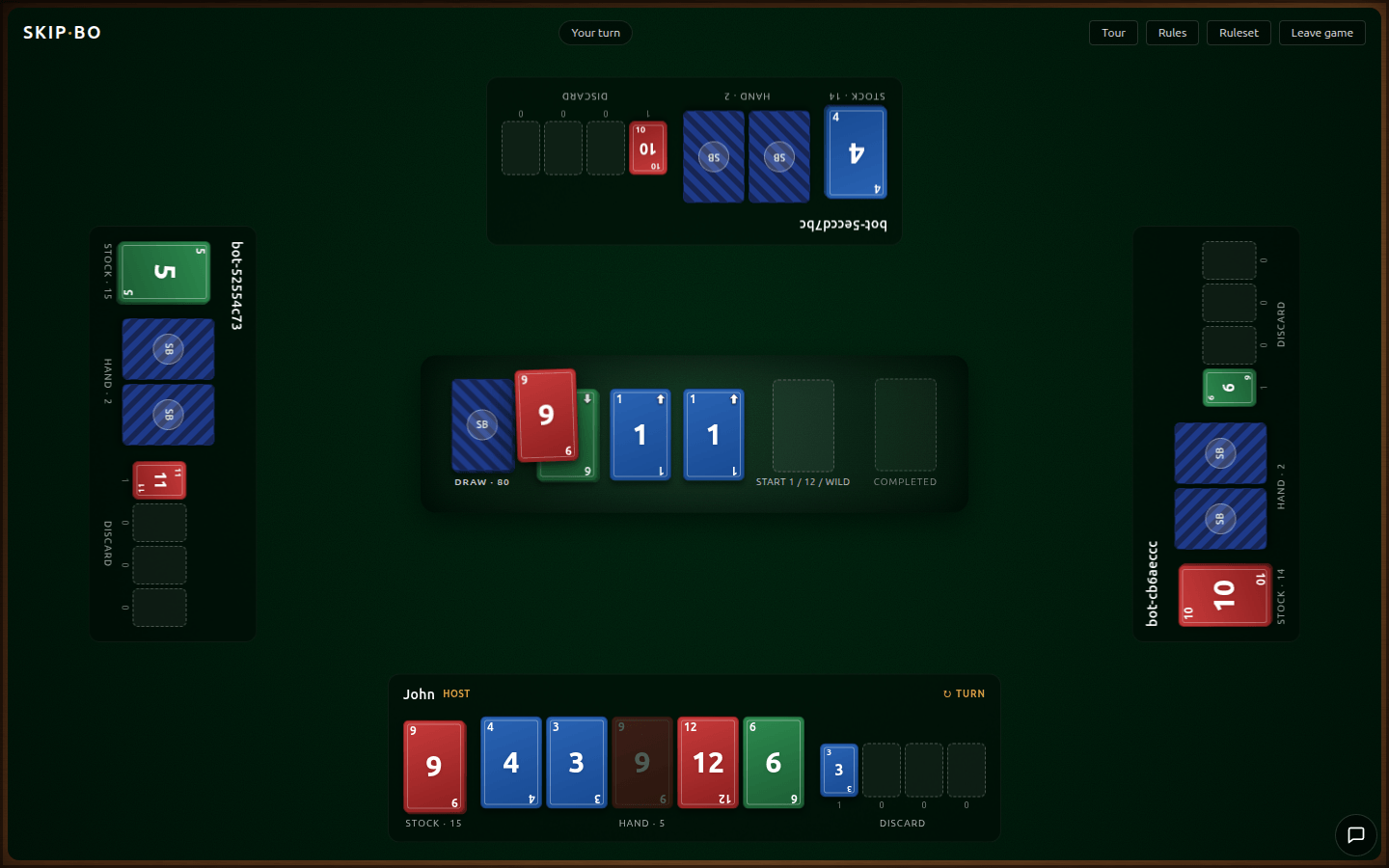
Once you're in a room, the pre-game screen lets the host shuffle seats, tweak the ruleset, share a join code, and chat with the other players. Start the game and everyone drops straight onto the tabletop.
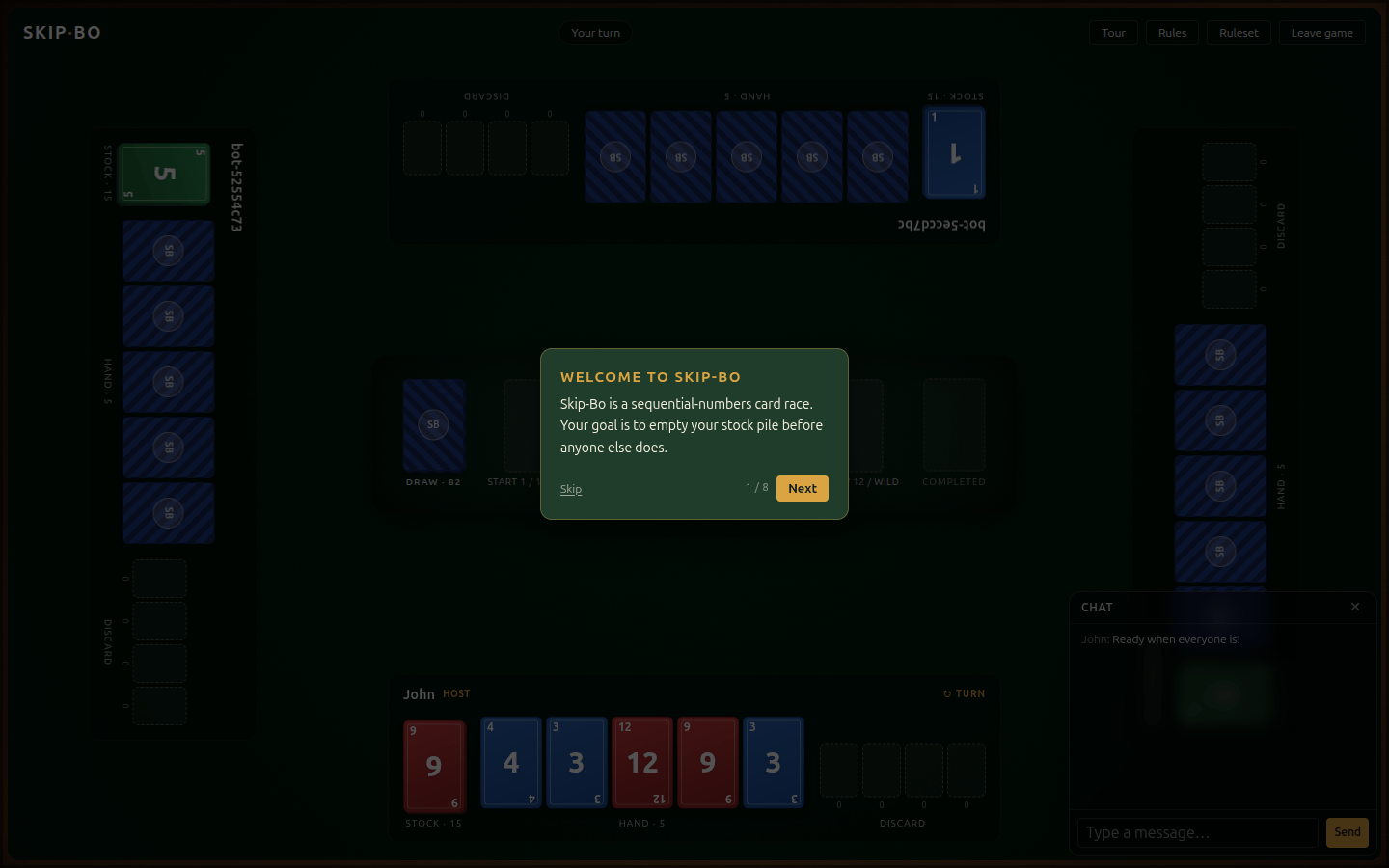
If it is your first time visiting the site, you'll get a skippable, brief tour of the UI and goals of the game. I feel like most people I have talked to have never heard of the game, so this was the first feature I built after getting the thing deployed.
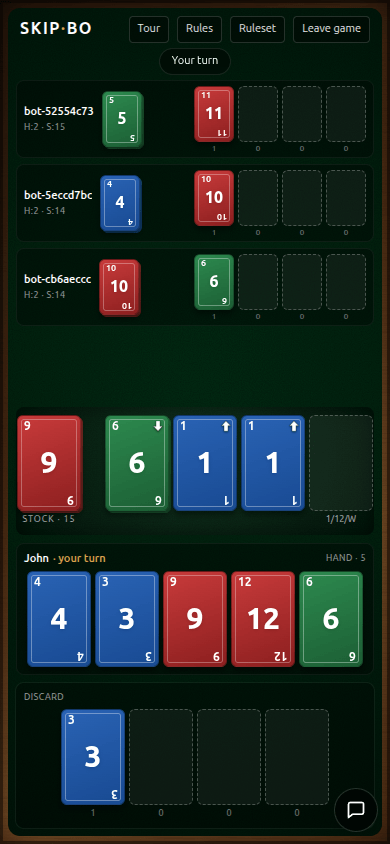
The mobile layout is different on purpose. A full tabletop does not belong on a 390-pixel-wide screen. Opponents scroll in a strip at the top, the active zone pins to the bottom, and the drag-and-drop target registry knows which layout is actually mounted so drops only land on visible zones.
The Build
For my non-technical people: everything from here until "What I Took Away" is very technical and filled with jargon, so if learning exactly how it works is not something your brain is up for right now, I don't blame you if you skip :)
No Training-Wheel Libraries
This was an interview-prep project, and it had a specific origin story. In a recent interview, I was asked, "Your work is really cool, but it looks like you've been mostly frontend focused. Have you ever deployed to AWS or something similar?" I couldn't honestly say yes. That conversation stuck with me, so when I was deciding on the project for this week, I asked myself what the best thing I could do to fill out my gaps would be, considered what would actually be fun to build, and came away with Skip-bo as the answer. I wanted a project where I could take a single, honest run at the deployment and networking layers I'd been abstracting away for years.
If I had reached for Socket.IO or Colyseus or Vercel, I would have shipped faster and learned roughly nothing about any of the things that are actually holding me back.
So the ground rules:
- No managed game-networking framework. Raw
ws@8on the server. A small client hook for reconnects, backpressure, and resume-on-visibility. - No Vercel for the game server. A single
t4g.smallineu-central-1, Docker Compose, nginx on the host terminating TLS, Let's Encrypt for the certificate. - No Socket.IO. If the browser couldn't negotiate a real WebSocket through nginx, I wanted to feel exactly which header I'd forgotten.
I hit every one of those walls at least once. That was the point.
The Engine
Before worrying about any of the networking, I moved quickly with the tools I'm most familiar with, Node.js and Next.js, to get a working demo. Before any UI, I find it is best practice to build the game logic such that you can play it through the console.
type GameEngine = {
  createGame(config: GameConfig): GameState
  applyAction(state: GameState, action: GameAction): GameState | GameError
  getPlayerView(state: GameState, playerId: string): PlayerView
}
applyAction(state, action) takes the full game state and a move, and returns either the next state or a structured error. No side effects, no WebSocket awareness, no DOM. I was directed recently to grugbrain.dev (hilarious and insightful read, written by the author of HTMX, Carson Gross) where he rails against the complexity demon getting out of its box, so this was part of my effort to keep things contained. I wrote it to be the kind of module you can open up, read top to bottom, and unit-test easily. ~60 Vitest cases cover the deck composition, the rule variants, every action type, the partnership permissions, the win conditions, and the per-player view that hides information the acting player shouldn't see (no peeking at opponents' hands).
That effort paid for itself twice. Once when the client dispatched locally (hot-seat mode reuses the exact same function), and again when the server took over (the server calls the same applyAction on every move, validates it, and broadcasts the resulting view to each connected socket). Same contract, two deployments. The shared Board component in React doesn't care where the state comes from; it just reads a SeatViewModel and renders.
Deterministic shuffling matters for a card game. The server uses mulberry32 seeded from a stored seed so that a game is reproducible from its initial state, which is useful for tests and would be useful if I ever wanted to add a replay feature.
Drag and Drop, From Scratch
I started with @dnd-kit/react. It works. It's well-designed. But it wasn't for this project. I only have one page where drag and drop is needed, and pulling in a whole library for that is inviting the complexity demon and is not worth the potential maintenance down the line. If one can, it is better to implement some things by hand. No package to update, no added weight to rebuild the project on a different machine years later, just a working solution that has no more or less than what the project needs.
So I ripped it out. In its place is a small stack under src/lib/dnd/:
- A
DragDropProviderthat listens for pointer move/up/cancel at the window level. - A
useDraggablehook that attaches a threshold-aware pointer-down handler to any element. - A
useDroppablehook that registers its DOM node into a sharedMapkeyed by a stable id. - A
DragGhostthat gets imperatively transformed to follow the pointer. - A hit-test that uses
getBoundingClientRect()on the registered drop targets whenever the pointer moves.
Pointer events (rather than separate mouse and touch listeners) unify the code across a laptop trackpad and a phone screen. A small movement threshold (around 4 pixels) keeps taps from registering as drags. Escape cancels. The ghost is transformed with translate3d(...) so the compositor handles it rather than React re-rendering the drag.
The WebSocket Server
Making the choice to implement the websockets myself was the biggest source of learning for this project. When brainstorming the architecture, I kept getting pushed by the AI to use the nice libraries and frameworks out there, but doing that felt like using Axios before learning fetch, or building with React before learning HTML. Time spent on the fundamentals always pays off.
The multiplayer piece is a separate Node process, not a Next.js route. Next on Vercel (or on any serverless runtime) can't hold a long-lived WebSocket connection, and the game server's job is precisely to hold long-lived connections with in-memory state.
The server is raw ws. A single HTTP server handles the REST and SSE endpoints (create room, join, leave, start game, lobby stream). When a request arrives at a path matching /rooms/:id/game, the upgrade handler takes over, runs an origin check (CSWSH defense), verifies the session id from the handshake URL, and attaches a GameConnection to the socket. From there, a small dispatcher routes inbound frames to the engine and fans outbound frames back through broadcastRoomState.
Some of the details that seemed small until I needed them:
- Heartbeats at the protocol level.
ws.ping()/ws.pong()rather than a customPINGmessage. Browsers handle the pong transparently, and the server marks a connection dead if a heartbeat goes unanswered. - A 16 KB
maxPayload. Frames bigger than the largest legitimate game action get dropped before the engine sees them. - A token-bucket rate limiter. Keyed by session id, per endpoint; compound (session + IP) on REST, IP-only on the WS upgrade, and implicit-per-socket once a connection is attached. Prevents a chatty client or a bot from hammering the process.
- A 60-second disconnect grace window. If a player's connection drops mid-game, the seat stays theirs for a minute. A random-legal-move bot takes their turn if it comes up after the grace period, which keeps the game from stalling. They can rejoin any time before the game ends and claim their seat back.
- State version numbers on every broadcast. Clients drop stale frames that arrive out of order. Not common on a healthy connection, but it costs nothing to add and saves you from weird ghost states when reconnect collides with a fresh broadcast.
The client side of this is a useGameSocket hook. It handles exponential backoff with jitter for reconnects and buffers sends into a bounded queue while the socket is offline. Walking through exactly how each of those pieces behave in an interview is the kind of thing I couldn't have done two months ago.
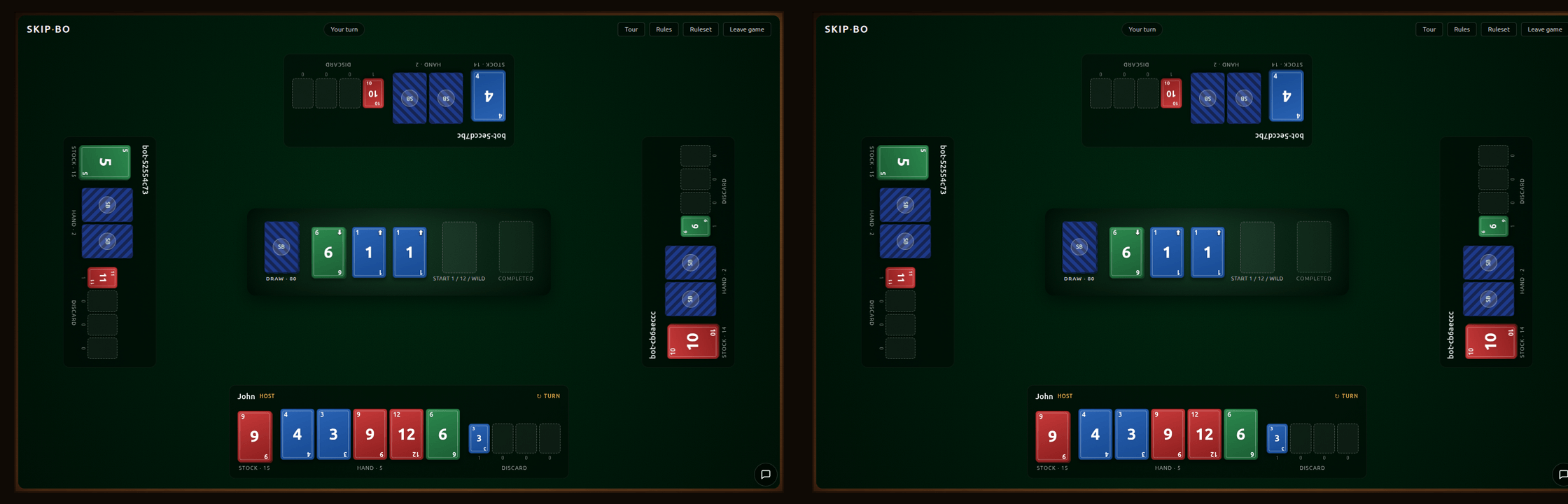
The first "Aha!" moment of the project was watching the game state sync across two browser tabs on my laptop. I made a move on the left, and the right tab rerendered with the new hand, the new build pile, the new turn indicator, all without a refresh. It had worked on paper for a few hours (tests green, code seemed correct) but there's a difference between "Probably works?" and "It works!!!"
The Deploy
This is the other part I was most underprepared for and learned a lot from.
The production stack runs on a single t4g.small Amazon Linux 2023 instance in eu-central-1. Two Docker containers, composed by docker-compose: web is the Next.js standalone build, srv is the esbuilt WebSocket server. A host-level nginx terminates TLS and routes by path. Let's Encrypt issues the certificate via the webroot ACME challenge. Deploys run from my laptop with a two-script loop:
deploy/bootstrap.shis one-time host setup (Docker, buildx, Compose, swap, cert, nginx).deploy/deploy.shis the repeatable deploy: git reset on the host,docker compose up -d --buildto rebuild and replace the containers, nginx config sync, reload, health checks.
Single-origin was a deliberate call. Everything (HTML, REST, SSE, WebSocket) lives at https://skipbo.johnmoorman.com. That kept CORS out of the architecture entirely, which is one less thing to think about when debugging. The Mozilla Intermediate 2026 TLS profile (TLS 1.2 and 1.3, two-year HSTS, security headers, no OCSP stapling because Let's Encrypt sunsetted OCSP on 2025-08-06) gave me an A on SSL Labs without any hand-tuning.
The piece that was more difficult to chew through was the WebSocket upgrade through nginx. The handshake starts as a regular HTTP/1.1 request with two special headers:
GET /rooms/abc/game HTTP/1.1
Upgrade: websocket
Connection: Upgrade
The server replies 101 Switching Protocols and the same TCP socket becomes a WebSocket. The trap is that Upgrade and Connection are hop-by-hop headers in HTTP/1.1, meaning they apply to the immediate hop only. nginx, being a well-behaved proxy, strips them by default. So the handshake reaches Node missing exactly the signal that makes it a WebSocket handshake, Node returns a regular HTTP 404 or 426, and the browser tells you only that the WebSocket connection failed. No helpful detail.
The fix is explicit:
map $http_upgrade $connection_upgrade {
  default upgrade;
  ''      close;
}

location ~ ^/rooms/[^/]+/game/?$ {
  proxy_pass http://127.0.0.1:8787;
  proxy_http_version 1.1;
  proxy_set_header Upgrade $http_upgrade;
  proxy_set_header Connection $connection_upgrade;
  proxy_set_header Host $host;
  proxy_read_timeout 3600s;
}
Every line matters. proxy_http_version 1.1 because nginx defaults to 1.0 for upstreams. The two proxy_set_header lines to put the Upgrade and Connection headers back. proxy_read_timeout 3600s because WebSocket connections are intentionally idle most of the time (heartbeats only), and nginx closes idle upstreams at 60 seconds by default, which would bounce every player off the server once a minute.
Server-Sent Events (the lobby stream) needed its own tweak: proxy_buffering off. Without it, nginx buffers the upstream response and sends it to the browser in chunks, which defeats the entire point of streaming. The symptom is that the lobby sits frozen for 30 seconds and then erupts with all the queued events at once.
I wrote the "why" of all this out in the repo's docs/learning/ folder as I went, partly so I could explain it in an interview without handwaving, partly because the only way I know a concept has actually landed is if I can hold a pen and teach it.
Going Live
The second "Aha!" moment was shipping. I've been hanging out in late.sh lately, which is a TUI chatroom mostly populated by developers, and I'd been narrating this project in general chat as I built it. The minute deploy.sh succeeded, I opened the site in a browser to confirm, and, too excited to wait to properly test it myself, created a public room and dropped a message into general chat. The lobby filled up almost instantly. I played the first live game on the deployed build with a handful of the people I'd been talking to throughout the development process. Amazingly, it went through without a hitch! A wonderful moment. The kind that makes the hours of AWS and nginx fiddling, websocket and RFC documentation reading, and all the other debugging feel like they were worth the calories and mental plaque.
The Post-Deploy Polish Day
Shipping to production is when the real bugs show up, because suddenly you're using the thing the way an actual person would use it. I spent the day after the AWS push fixing the things that only became obvious once the site was live. Mainly cross-platform UI issues that are always difficult to predict.
A few that stood out:
The URL bar lock. On the pre-game screen, the Start Game button sat below the fold and the iOS URL bar wouldn't dismiss because the page had overflow: hidden on body. Dropping that (plus moving to 100dvh for the full-height container) let the URL bar collapse on scroll and put the button back in reach.
The chat keyboard. The first version of the in-game chat dock was absolutely positioned inside the felt. When you focused the input on iOS, the virtual keyboard slid up and shoved the whole page with it. The fix was position: fixed plus the visualViewport API. On modern browsers that honor interactiveWidget: 'resizes-content', the layout just shrinks and the dock stays put. On older iOS Safari (17.3 and earlier), visualViewport.resize fires when the keyboard opens, and the dock listens, computes the difference between layout height and visual viewport height, and floats above the keyboard at whatever offset the OS decided on today.
The empty public/ directory. This one is a bit silly. During the branding pass I deleted the last file in the Next.js public/ folder. Git doesn't track empty directories. The host pulled main, the Dockerfile ran COPY --from=build /app/public ./public, and the build failed with /app/public: not found. A public/.gitkeep got me back to green. (The incident cost me about 15 minutes. The lesson is writing itself.)
What I Deferred
Two sections of the original design never got built.
A real AI bot engine (Section 5 in the design doc) was deferred on purpose. The current bot is a random-legal-move stub, which is enough to keep the game flowing when a human disconnects but isn't going to challenge anyone. A proper rule-based bot (with discard-pile-management heuristics, stock-pile pressure awareness, and a difficulty knob) is something I still want to build, but it wasn't going to affect the interview-prep learning goals, so I let it slip to the backlog.
A GitHub Actions CI/CD wrapper around deploy.sh is the other deferred piece. The deploy script is idempotent and safe to re-run, which gave me the breathing room to ship without it. I'll come back to it when the free-tier expiry calendar reminder goes off later this year.
What I Didn't Build
I want to walk the "no training-wheel libraries" framing back a bit, because it is too clean for what actually happened.
nginx is doing an enormous amount on my behalf. TLS termination (I wrote zero crypto code). HTTP/1.1 and HTTP/2 parsing, chunked transfer, header folding. The reverse-proxy mechanic itself, where bytes get pulled off one socket and framed onto another. Static-file serving for the ACME challenge path. TCP-level tuning I inherited from Mozilla's Intermediate profile without touching. The worker-process event loop and graceful reload on SIGHUP. certbot signs my certificate against Let's Encrypt's ACME API and renews it without my code ever calling that API directly. Any one of those is its own multi-week learning project.
Even ws on the server has a floor underneath it. It reads and writes WebSocket frames per RFC 6455, handles the masking XOR, fragmentation, ping/pong control frames, and bufferedAmount-based backpressure at the byte level. I'm calling ws.send(). I'm not assembling 0x81 opcodes with 7-bit length prefixes by hand. ws is much closer to the wire than Socket.IO, but it is still an abstraction.
What I actually learned at byte level is a narrower list. The WebSocket Upgrade handshake (why the hop-by-hop headers matter, why nginx strips them, what to put back). The reverse-proxy contract: what passes through, what gets rewritten, why. The single-origin trade-off versus CORS everywhere. Why long-lived connections break under serverless and what a stateful Node process buys you instead. Reconnect semantics at the application layer (backoff with jitter, visibility-paused retries, version-watermark drops on stale frames). TLS configuration choices (which protocols and ciphers, why no OCSP stapling, why HSTS at two years).
The honest framing is less catchy than "no training-wheel libraries." It is closer to this: I implemented the application protocol over WebSocket myself, using the ws library for framing, behind nginx for TLS and HTTP routing. But for a one week long project, I am pleased to have learned more deeply the technologies underpinning our global community.
What I Took Away
My whole journey with web development has followed the philosophy of building fundamental knowledge before reaching for abstractions. Deployment and authentication have been the standing exceptions. There is only so much you can learn deeply at once. Trying to pick up React custom hooks at the same time as what a server is, what a VPS is, how to manage DNS records, what a reverse proxy actually does, and how Docker isolates a process would have been a recipe for learning none of it properly. Abstraction earns its place in an educational project when it keeps the learning scoped.
This project was the one where I started lifting the hood on a few layers of the deployment and network plumbing I had always taken for granted. Concepts that had always been nebulous in my head, or had slowly become nebulous through disuse, are now concrete and crystallized. I have a real mental model for what happens from new WebSocket(url) on the client through the nginx upgrade handshake to the wss frame on the server, because I have now sat with each piece long enough to know what is mine, what is nginx's, and what is ws's. Next time someone asks if I've deployed to AWS, I can honestly say yes. I know this is only scratching the surface of a very deep well. But one must start somewhere.
It is simply astonishing and humbling how much work has gone into the modern world and internet, and how much there is to learn. But also exciting! I'll never run out of stuff to read and make, and it is fun to contribute to the problem of never being able to know everything that is out there.
The free AWS tier has expired, so the box is shut down and there's no live game to point you at right now. I'm not paying AWS prices for a card game, so the plan is to redeploy somewhere cheaper (probably fly.io) when I get to it. The deploy is two idempotent scripts, so bringing it back up is an afternoon, not a project. When it's back, open a room, send me the code, and I'll be there.
Links
If you read this far, thank you. A star on the repo is always appreciated, and if any of this sparked an idea or a question (or you want to talk about WebSocket headers for longer than anyone should), reach out on LinkedIn or at john@johnmoorman.com. See you in week nine.