10-in-10, Week 6: Murmur
This project idea was given to me by a friend. They loved ElevenReader by ElevenLabs, but they are also a bit of a power user. They found themselves enjoying it, but they knew they'd use it more if they had just a bit more control over how things were configured. They saw my work with the Drop podcast, and said, "You're so close! Can you make something like this, but more directly for text-to-speech?"
We had talked a bit about the idea even before I made the podcast app, so it was funny to show it to my friend and watch him realize that I had spent my time making an app that does local text-to-speech and library management, but in a way that wasn't at all what he was hoping for. I promise it wasn't intentional, and to prove it, I did the logical thing and got to work on the thing he actually wanted.
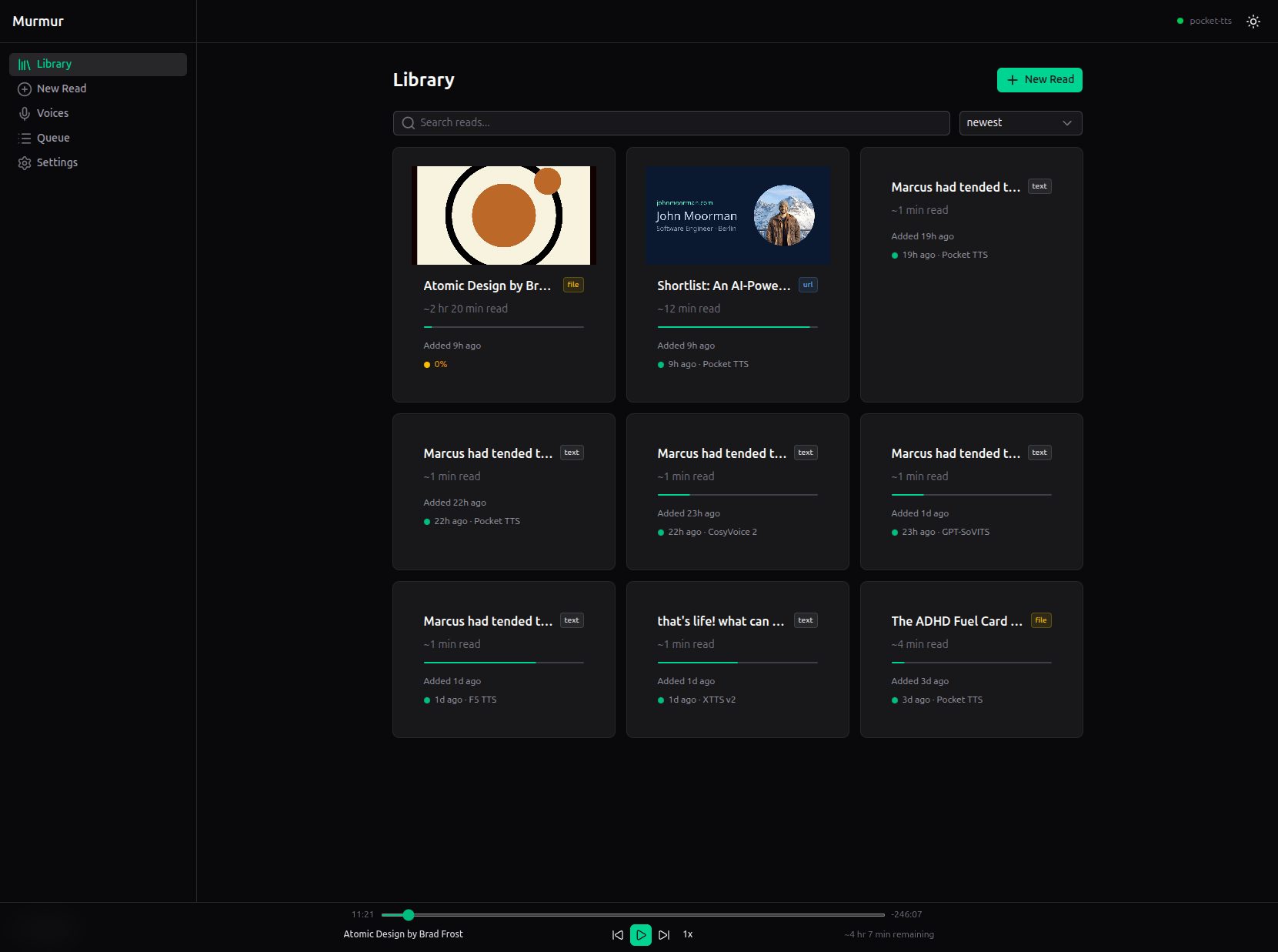
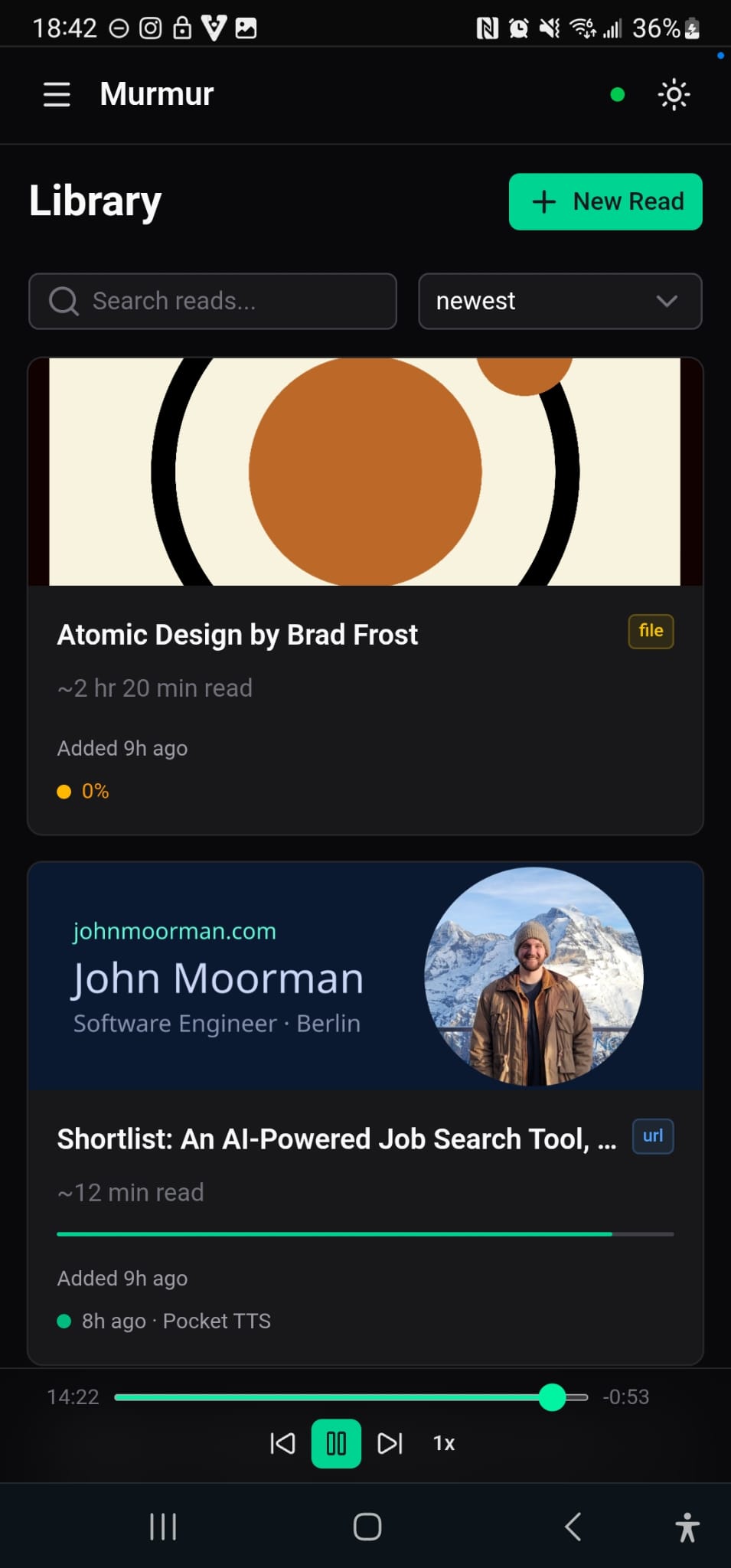
The result is Murmur, an open-source, self-hosted text-to-speech reader. Paste text, upload a document (PDF, EPUB, DOCX, etc.), or feed it a URL. Pick a voice. Listen. Everything runs locally.
Taking Shape
The honest, biggest reason Murmur is self-hosted is that I don't want to pay for compute (even though paying as I go would realistically only be about $0.50-$1/hour of generated audio, plus $5/mo for a cheap VPS) or deal with that complexity for the scope of this project (it's something I would consider adding later on, as it would allow people without the requisite hardware a cheap option). Additionally, the core functionality of the app is TTS generation and library management, and there are other, free options that already do this well, like ElevenReader. Going through the pain of hosting it online for no real benefit to anyone didn't make sense. But the self-hosted angle also differentiates it. You own the audio. You own the data. You can run it on hardware you've already paid for and enjoy making the most out of what you already own. I'm also the type who likes to push his machine to its limit. Keeping the app fully offline scratched that itch.
The idea had been in my head since the start of the 10-in-10 challenge. I started building it a few weeks ago, pivoted to the Angular project (the Berlin Relocation Planner, then came back to finish it. Getting this going was equal parts fun and equal parts pain. More on that later.
My vision is for Murmur to be to ElevenReader as Open Notebook is to Google's Notebook LM. Certainly ambitious for a week's work, and indeed, it is far from reaching full feature parity with its inspiration. But the foundation is laid, and it already does some things that ElevenReader does not.
What It Does
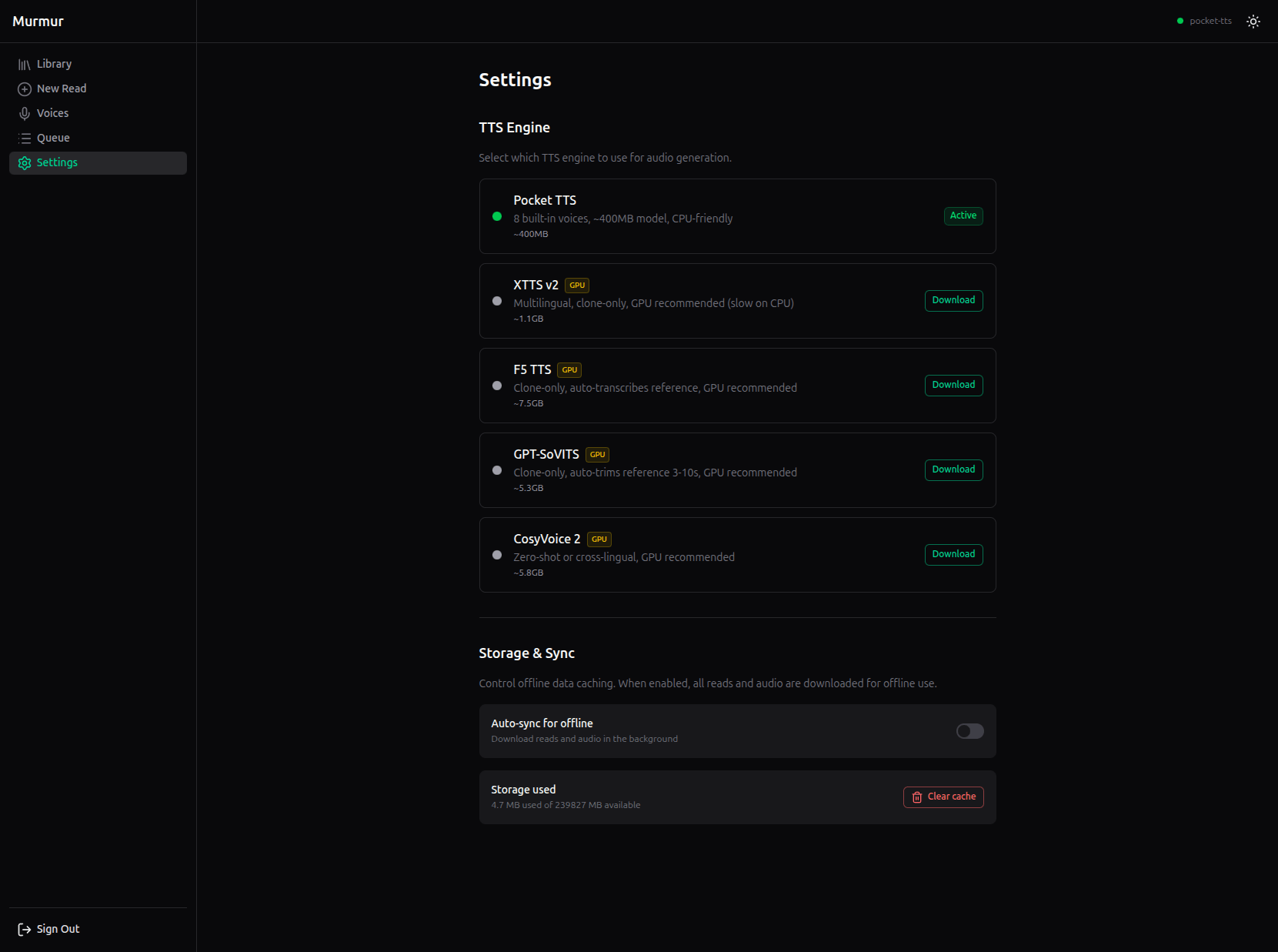
Text-to-speech with swappable engines. Murmur ships with support for five TTS backends. Pocket TTS is the default: CPU-friendly, eight built-in voices, generates at roughly 1.5 to 2.5x real-time on my laptop. That way, you can start listening immediately and never have to pause while it catches up. Four other engines (XTTS v2, F5 TTS, GPT-SoVITS, CosyVoice 2) support voice cloning. Upload a WAV of any voice and the engine will synthesize new speech from it. Each engine is installed on-demand from the settings page. Only one runs at a time to conserve resources, and only one is installed in the beginning to avoid hitting you with a 25gb docker container. Instead, the default configuration requires only Docker, 500-700MB, and a decent CPU.
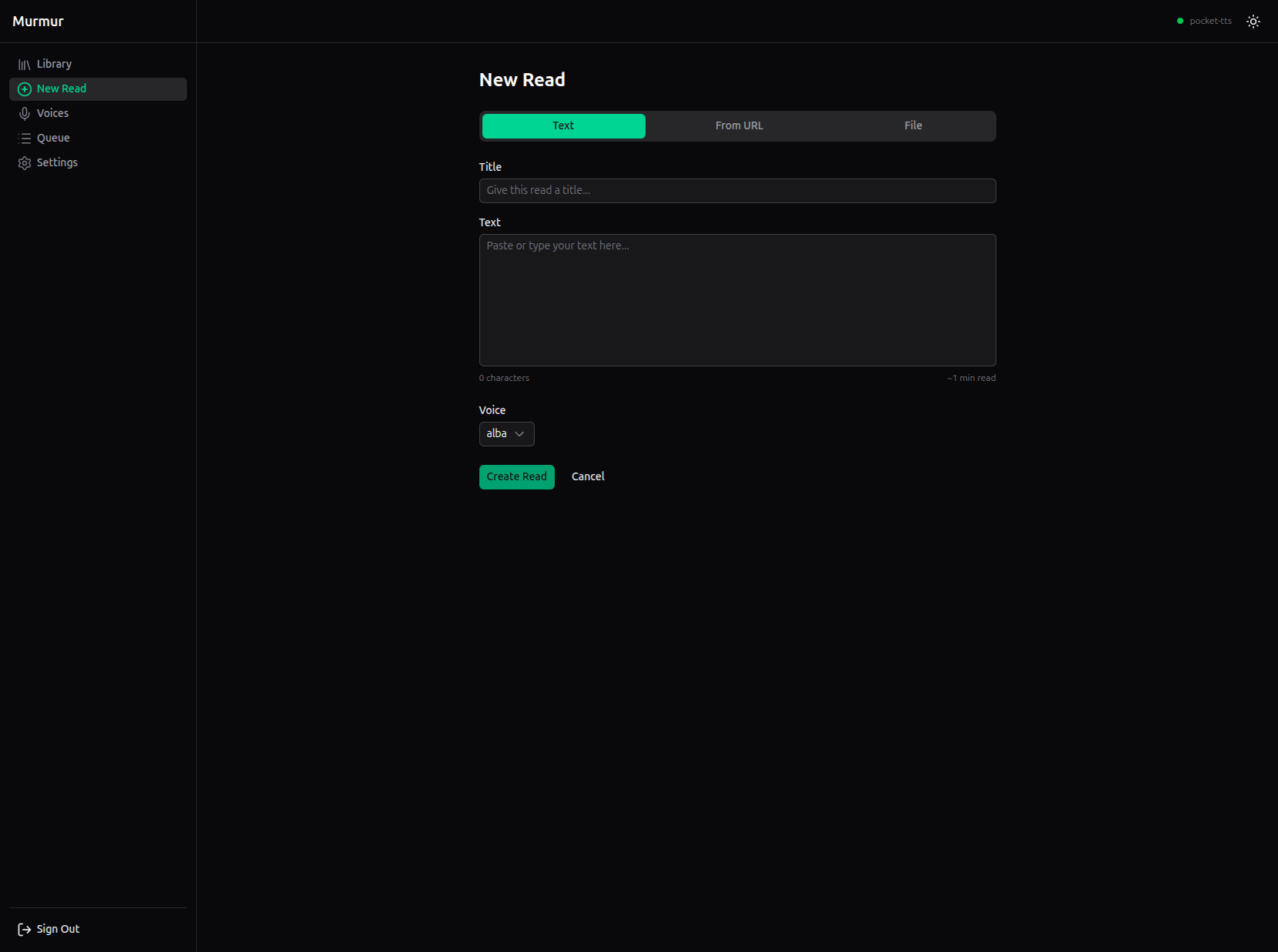
Document import. Paste raw text, upload a PDF, EPUB, DOCX, TXT, MD, or HTML file, or give it a URL. For documents, Murmur extracts text and embedded images, rendering them inline in the reader. For URLs, it uses Readability (Mozilla's article extraction library) to pull the content out of the page (also including images!).
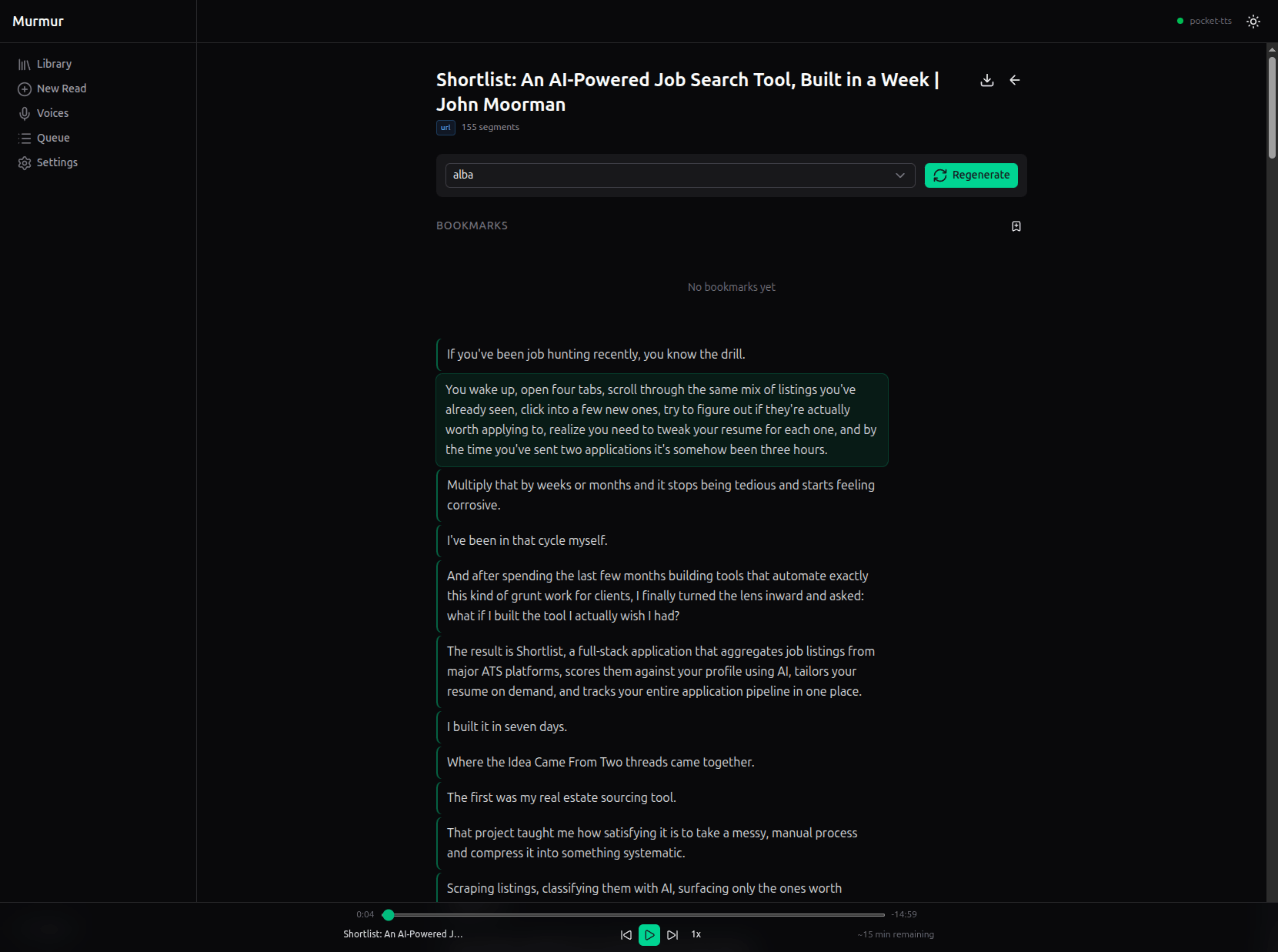
The reader. Once a read is created and audio is generated, the reader view lets you listen with standard playback controls: play, pause, seek, speed adjustment. The current segment is highlighted as it plays. If you enable the optional-but-why-wouldn't-you-want-it alignment server (WhisperX), highlighting drops to the word level. Bookmarks let you save your position with a note.
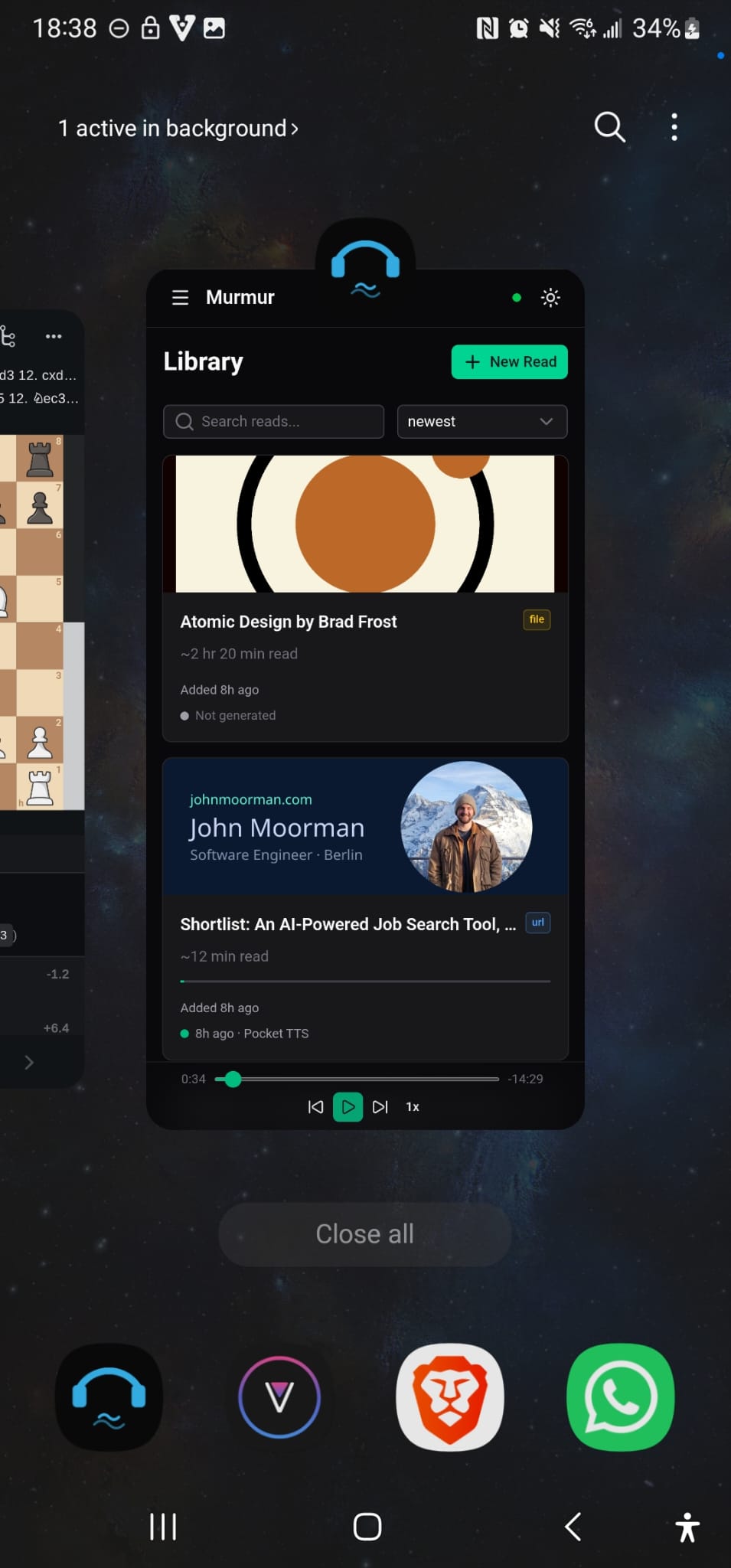
Offline PWA. Murmur is available to install as a progressive web app on your phone or any other device on the same network. This takes a bit of finagling, as you can only install PWAs from https sites, so you need to grab the certificate that the app generates and validate it on your device before you'll be allowed to install it. Audio segments are cached locally via a service worker, so once a read is generated, you can listen to it without any network connection. Background sync pre-fetches audio in the background so your content is ready before you are.
Multi-user support. Each account has its own reads, voices, bookmarks, and settings, all isolated. Authentication is JWT-based with httpOnly cookies. Nothing fancy, but it means you can share the instance with someone in your household without your libraries mixing. No account data is uploaded anywhere.
How the Architecture Evolved
I initially planned to build this with Next.js and have the frontend talk directly to the TTS engine, like with Drop. That was the simplest version of the idea: a web UI that sends text to a local model and plays back the audio.
I switched to Nuxt early on. I really like Vue and wanted to demonstrate that I can build with its bigger framework, not just the library. But the more important shift happened during the build, when I started thinking about what would actually make this useful for people beyond a demo.
Handling everything in the browser wouldn't be feasible. TTS generation is slow, CPU/GPU-intensive work. If you close your laptop or your browser crashes mid-generation, you lose everything. The generation needs to survive independently of whether a browser tab is open.
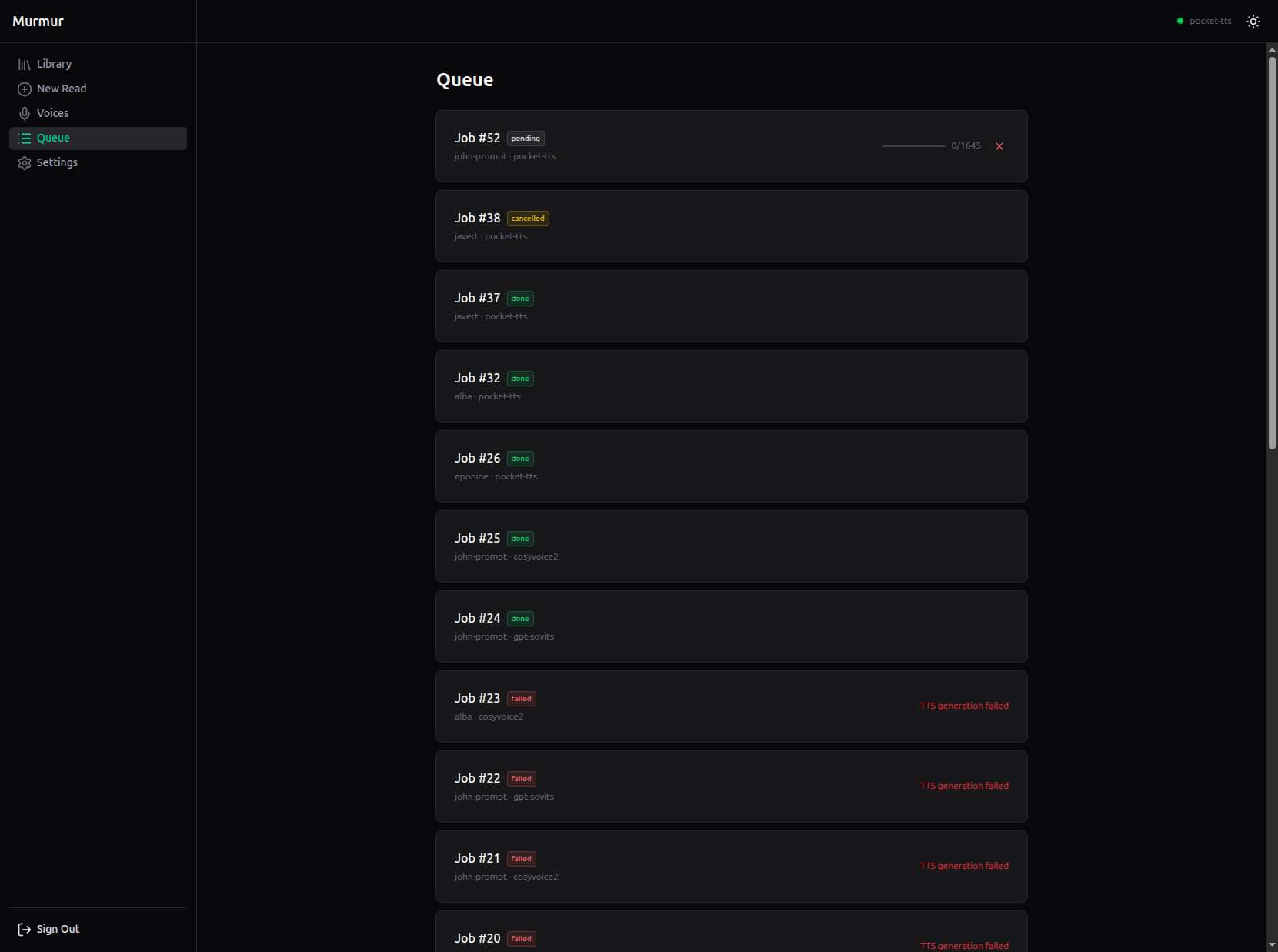
That realization led to a restructuring where I eventually landed on the current architecture, and I'm quite proud of it. The Nuxt frontend acts as a thin client. Behind it sits a Nitro BFF (backend-for-frontend) layer that validates the JWT cookie and proxies all API calls to the real brain of the system: a FastAPI orchestrator written in Python. The orchestrator owns the SQLite database, manages the TTS engine lifecycle, runs a FIFO job queue for audio generation, and streams progress updates back to the frontend via server-sent events.
The practical payoff is significant. Generations survive browser crashes and a laptop closing. The job queue processes requests in order regardless of what the frontend is doing, and a queue page lets you monitor progress in real time.
Browser (Nuxt PWA)
    ↓  fetch /api/*
Nitro BFF (JWT validation, proxies to orchestrator)
    ↓  X-User-Id header
FastAPI Orchestrator (DB, job queue, SSE, engine management)
    ↓  subprocess
TTS Engine (one active at a time, separate port)
Highs and Lows
The Five Engines
Not all TTS engines are created equal. So you can easily compare, here is my voice cloned with all five engines! To be fair, keep in mind that I didn't dive too deeply into configuring the best temperatures, prompts, memory window sizes, etc. for all these models, so these samples are representative of each model's capability with a 25 second voice sample along with transcribed text. (Pocket TTS needs no transcription or configuration. It just works out of the box, with one caveat being you need to agree to a ToS on Hugging Face if you want to enable voice cloning).
Pocket TTS is my definite recommendation for anyone who wants instant listening. It runs on CPU without complaint, generates fast enough that you never wait, and its eight built-in voices are perfectly serviceable. If I'm uploading a book and want to listen straight through, this is what I use. I am, as always, gobsmacked at how much performance the folks over at Kyutai managed to pack into this tiny model.
CosyVoice 2 produced the best quality voice clone I heard across all five engines. The quality was really impressive. The problem is consistency. Each sentence sounded like a different person. The first segment came out in a thick southern drawl, then pure generic American, then English, then Irish, and on and on, a different accent every sentence. Across a two-paragraph short story. It was hilarious, but not exactly usable for long-form listening. This is the one model where taking the time to dive deeper into the generation config would likely be a good ROI.
F5 TTS had the best overall voice quality combined with consistency. The output sounds natural and even. The tradeoff is speed and emotion. The generation on my machine was painfully slow, and listening to it felt a bit flat, even if the voice quality was better than Pocket TTS. If you need reliable, high-quality output and don't mind waiting (or have a GPU), this is your engine.
XTTS v2 was so disappointing once I managed a generation that I regretted the time I spent fixing it. The voice quality didn't justify the time spent tweaking the set-up for this environment.
GPT-SoVITS gave me a similar feeling, though less so. The quality was a bit better than XTTS, but not enough to really use it. Maybe if I want to hear what the original voice would sound like if you added 50 years to the age and 5 rounds of compression to its recording.
Lesson learned: First get the thing working in isolation, then test a voice clone to see if I actually like the quality, THEN go through the pain of having it live inside the Docker container.
Dockerizing Five Engines
Getting these engines to coexist inside a single Docker container was, to put it gently, an ordeal. To put it appropriately, a study in suffering.
The architecture sounds simple enough: the orchestrator spawns each engine as a subprocess in its own virtual environment, installed on-demand when the user clicks "Download." In practice, the Python ML ecosystem in containers is a dependency minefield.
"Sure, it'll probably have some kinks to work out, but how bad could it be?" — The Blissfully Ignorant
A few highlights from the nearly 20 distinct issues I resolved:
- Torchcodec. The single biggest recurring headache. Multiple engine dependency chains pull it in, and in a Docker image configured with PyTorch's CUDA index, pip installs the CUDA-enabled wheel by default, which then fails to load without the CUDA native libraries. Running
pip uninstall torchcodecafter every engine install became a ritual. I had to fix this three separate times across three different engines. - CosyVoice's dependency cascade. After installation succeeded and the engine started, generation crashed. Six times in a row, each with a different missing module:
diffusers,hydra,rich,pyarrow,pyworld, and finallypkg_resources(removed insetuptools>=82, but still imported bypyworld). I discovered these one at a time through the UI: install, try to generate, read error in Docker logs, add the dep, rebuild, repeat. After the fourth round I finally exec'd into the running container and tested imports directly. Should have done that immediately. - GPT-SoVITS and the phantom package. The code imports
setLangfiltersfrom a package called LangSegment. Version 0.3.5 had this function. The maintainer deleted the newer versions and republished version 0.2.0, making the working release vanish from PyPI entirely. A broken dependency chain, published to the public registry, with no indication anything is wrong until runtime. - XTTS's license prompt. On first model download, Coqui TTS calls
input()to ask you to agree to their license. In a headless Docker container with no stdin: instant crash. The fix is an undocumented environment variable I found by reading their source code.
The Dockerfile started as two lines. By the end of the day it needed six system packages that no pyproject.toml mentions: ffmpeg, libsndfile1, espeak-ng, build-essential, cmake, and git.
I spent nearly an entire day debugging this. 8 hours of off and mostly on, banging my head against the keyboard to finally work through everything... and I still can only hope that it will work on other machines than my own. I'd like to say this process made be a better engineer, but I'm not so sure! Perhaps a more jaded one.
The PWA Problem
Making Murmur work as an installable PWA on a phone was its own saga.
Progressive web apps require HTTPS. Browsers won't let you install a PWA served over plain HTTP. For a cloud-hosted app, this is a non-issue: your deployment platform handles the certificate. For something running on your laptop on a local network, you need to generate a certificate that your phone will trust. Most solutions involve setting up a VPN or tunnel, which defeats the purpose of keeping things local and simple.
I ended up using Caddy as a reverse proxy. Caddy generates a self-signed certificate authority automatically, and I exposed a small HTTP endpoint where users can download the CA certificate and install it on their device. Once trusted, the phone can access Murmur over HTTPS on the local network, and the PWA install prompt appears. No VPN, no tunnel, no cloud dependency.
(This is also where my wifi chip decided to become a problem. My laptop's built-in wifi consistently dropped when acting as a host to external devices. I spent more time than I'd like to admit trying to fix it, and admittedly did have some success, but debugging this was a real nightmare because it is difficult to know if the failure is because my wifi chip is a sad piece of hardware, or if the syncing code is a sad piece of programming, or some combination of both. Probably a combination of both, since I settled on having a much slower sync to have a much more stable server. This is one area that can definitely be hardened, and if any network gurus out there want to contribute to the syncing code, please feel free.)
Despite the pain, the moment everything finally clicked when the PWA installed on my phone, and I could see my reads syncing in real time, that was special. The pain and fog from all the head-banging dissipated and the joy of creation took its place. It is moments like that which keep me building things.
What I Took Away
This project has been in my head since the start of the 10-in-10 challenge, and I'm deeply pleased to have finally built it. The architecture evolved significantly from the first sketch to the final version, and I think the product is better for it. Letting the idea sit, stepping away to build something else, then returning with clearer thinking was a pattern I wouldn't mind repeating.
I hope my friend likes it enough to use it regularly. And I hope that having it open source will inspire somebody to contribute, whether that's adding a new engine, improving the UI, or just fixing one of the many small things I haven't gotten to yet.
The repo is open. If you run your own hardware (works on my M1 Macbook Pro and PC from 2020!) and want a TTS reader you actually control, give it a try.
If you read the whole post, thank you, and I hope to see you in the next one. Please give the repo a star if you have a GitHub account!